

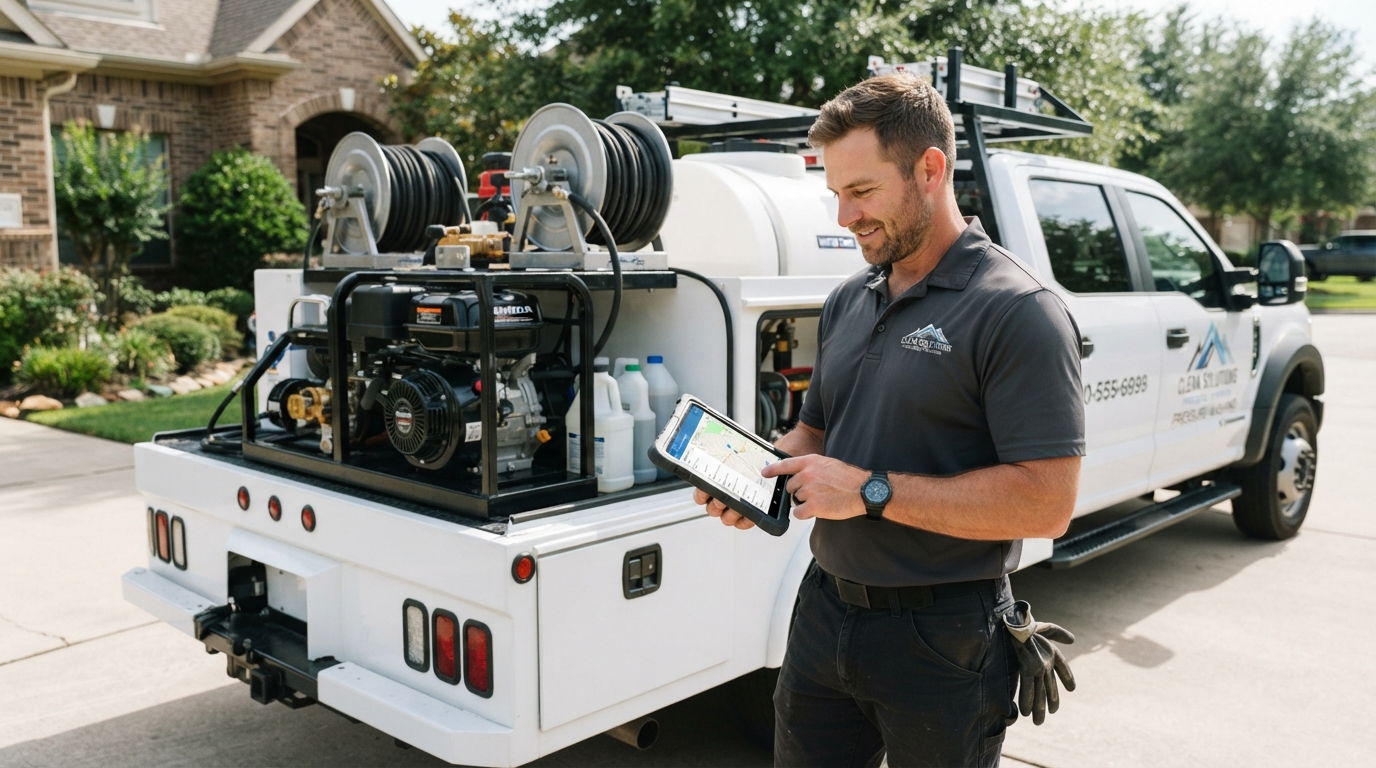
What Is Pressure Washing Software?
Pressure washing software is a business management tool built (or adapted) for field service contractors like house wash specialists, deck restoration crews, and carpet cleaning companies. It typically handles:- Job scheduling and dispatching — assign jobs to crews, set routes, avoid double-booking
- Estimating and quoting — send professional quotes fast, win more jobs
- Invoicing and payment processing — get paid on the spot or automatically
- Customer management (CRM) — track leads, job history, notes, and follow-ups
- Online booking — let customers book and pay without calling you
- Review generation — automatically ask for Google reviews after jobs
- Route optimization — save fuel and time between jobs
Top Pressure Washing Software Options in 2026
Jobber
Jobber is one of the most popular tools for residential pressure washing companies. It handles scheduling, invoicing, quotes, and client management in one clean dashboard. The mobile app is solid for crews in the field. Pricing starts around $49/month for solo operators and scales up for teams. Best for: Residential and small commercial operators who want a complete, easy-to-use platform.ServiceTitan
ServiceTitan is the enterprise option. It’s built for multi-truck operations doing serious volume. It has more features than most small businesses need — and a price tag to match. Expect a custom quote and onboarding process. Best for: Large pressure washing operations with multiple crews and high job volume.Housecall Pro
Housecall Pro is a strong competitor to Jobber, with a slightly different interface and strong marketing automation features. It’s popular with window cleaning and power washing companies for its customer follow-up tools. Best for: Operators who want built-in marketing and follow-up automation.FieldRoutes
FieldRoutes (formerly PestRoutes, now part of ServiceTitan) is built for recurring service businesses. If you offer scheduled soft washing, gutter cleaning, or maintenance programs, FieldRoutes handles subscription billing well. Best for: Recurring service programs and subscription-based cleaning contracts.WorkWave
WorkWave offers route optimization as a standout feature. If fuel costs and drive time between jobs are eating your margins, WorkWave’s routing tools can make a real difference. Best for: High-volume route-based operations focused on efficiency.What to Look for in Pressure Washing Software
Don’t buy a tool because it looks nice. Buy it because it solves your actual bottleneck. Here’s what matters:Mobile-First for Crews
Your techs aren’t at a desk. The app has to work in the field — offline if needed, easy to navigate, and able to capture before/after photos for job documentation.Automated Customer Communication
Appointment reminders, job completion texts, review requests — these should happen automatically. Manual follow-up doesn’t scale. The best platforms include two way sms texting so customers can reply and confirm appointments without a phone call.Crew Scheduling and Automated Scheduling
Good software includes true crew scheduling — the ability to assign specific techs to specific jobs, set drive routes, and manage capacity across your team. Automated scheduling rules (like auto-assigning recurring appointments) remove the daily dispatch bottleneck for growing operations.Fast Invoicing, Professional Quoting, and Online Payments
The faster you invoice, the faster you get paid. Look for tools that support detailed estimates and professional quoting — sending a polished, branded quote to a customer increases your close rate compared to a text message with a number. Digital signatures on quotes and invoices speed up approvals and eliminate the paper chase. Card on file and automatic payment collection are must-haves for larger operations.Job Costing
Job costing features let you track what each job actually costs — labor time, materials, drive time — so you can see which job types are most profitable and price future work more accurately. Many operators skip this and never realize which services are actually making them money.Review Generation
Google reviews are one of the biggest factors in local SEO for pressure washing companies. Software that automatically asks for reviews after each job compounds your reputation over time with minimal effort.Job History and Notes
When a customer calls back 8 months later, you need to know what you did, what you charged, and what you noticed. A solid CRM with job history saves you from starting from scratch every time.Scheduling Tools and Features That Actually Matter
Most platforms claim to handle “scheduling” — but what does that actually mean for a growing cleaning operation? Here’s what to evaluate:- Automated scheduling: Can the system automatically assign recurring jobs to available crew members without manual intervention every week? Scheduling tools that require you to manually dispatch every appointment don’t scale past a certain job volume.
- Crew scheduling: Can you assign specific technicians to jobs, see crew availability in calendar view, and handle last-minute changes without rebuilding the whole schedule?
- Customer notifications: Does the system send automated appointment reminders to customers, reducing no-shows? Two way sms texting — where customers can confirm or reschedule without calling you — is a significant time-saver.
- Professional quoting and detailed estimates: Can you create detailed estimates with line items, photos, and terms — and collect digital signatures on accepted quotes? Professional quoting tools increase close rates versus informal phone or text quotes.
- Job costing: Can you track actual hours and materials per job against your estimated cost? Job costing data tells you whether your pricing is actually profitable — many operators find out too late that certain services cost more than they’re charging.
Software Alone Won’t Fill Your Schedule
Good software makes your existing jobs run better. But if your phone isn’t ringing consistently, software isn’t the fix — marketing is. The pressure washing companies that dominate their markets pair efficient operations with aggressive digital marketing: a high-converting website, strong Google rankings, and paid ads that put them in front of customers actively searching for their services. If you’ve got the operations side handled but your lead flow is inconsistent, your website and SEO are likely the bottleneck. Your software can manage 50 jobs a week — but only if you’re booking them first.How to Choose the Right Tool
Here’s a simple framework:- Solo operator or 1–2 crews: Jobber or Housecall Pro. Keep it simple.
- Growing fast (3–10 crews): Jobber, Housecall Pro, or FieldRoutes depending on your service model.
- Multi-location or high volume: ServiceTitan or WorkWave.
- Primarily recurring services: FieldRoutes.
Managing Your Sales Pipeline With Software
One feature set that separates basic job management tools from growth platforms is the sales pipeline. A well-built CRM with a sales pipeline lets you track where every lead is in the booking process: new inquiry → quote sent → quote accepted → job scheduled → job complete → invoice paid → review requested. For growing operations, pipeline visibility is critical. You need to know how many quotes are out, how many are pending acceptance, and where revenue is likely to come from over the next 30 days. Without a sales pipeline view, you’re flying blind on your revenue forecast. Look for software that lets each crew member update job status from the field in real time. When a crew member can check in, note job completion, and trigger the customer follow-up from their phone — the entire workflow stays current without the owner being involved in every step. Customers love this level of responsiveness because it makes your company feel organized and professional. Photo documentation within the job record is another underused feature. When your crew captures before/after photos as part of the job close-out process, you build a continuous library of carpet cleaning, deck restoration, house wash, and driveway content that feeds your marketing across Google, Instagram, and your website. Software that makes photo documentation part of the standard job workflow turns every job into a content asset automatically.FAQ
Jobber and Housecall Pro are the most common among small to mid-size pressure washing companies. ServiceTitan is popular at the enterprise level.
Yes — for most operators. The time saved on scheduling, invoicing, and follow-up typically more than covers the subscription cost. Faster payments and fewer missed jobs add up quickly.
Some platforms include basic marketing features like review requests and email follow-ups. For serious lead generation — Google Ads, local SEO, website optimization — you’ll want a dedicated digital marketing strategy on top of your operations software.
Yes. Jobber, Housecall Pro, and similar field service platforms are used by window cleaning companies as well. The core functions — scheduling, invoicing, CRM — apply to any exterior cleaning business.
The best pressure washing software is the one that solves your biggest operational problem today. Whether that’s scheduling chaos, slow invoicing, or poor customer follow-up — pick a tool, commit to it, and work the system.
Once your operations run clean, the next step is making sure your marketing matches your capacity. If your schedule should be full but isn’t, talk to us about what’s getting in the way.